
As a new user, I want to sign in with a Password so I can recover my identity
Video prototype
Acceptance Criteria
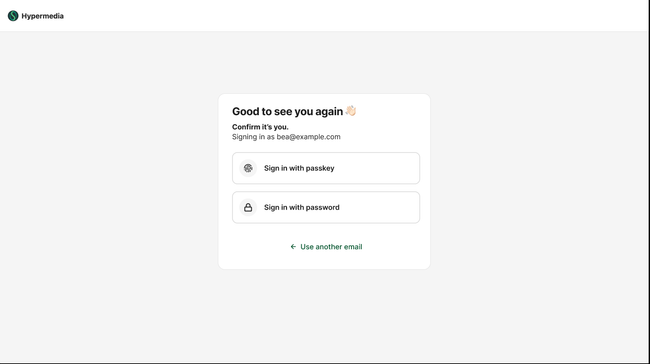
Returning user sees "Good to see you again" with options to sign in with passkey or password, and a link to use another email
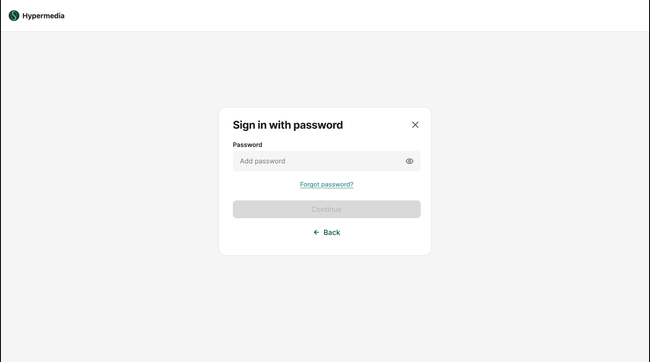
Selecting "Sign in with password" opens the password dialog with a password field, show/hide toggle, and a "Forgot password?" link
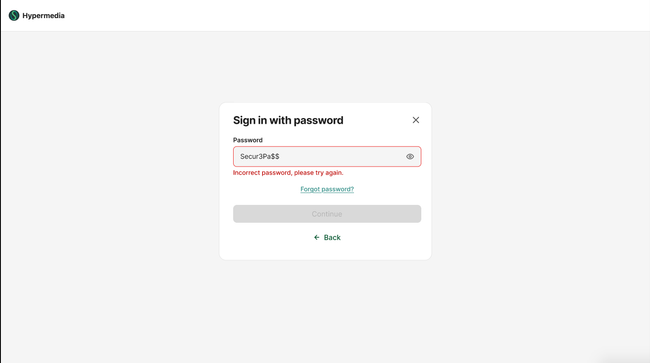
Entering an incorrect password shows an inline error: "Incorrect password, please try again"
"Continue" button is disabled until a password is entered
"Back" button returns to the sign-in options screen
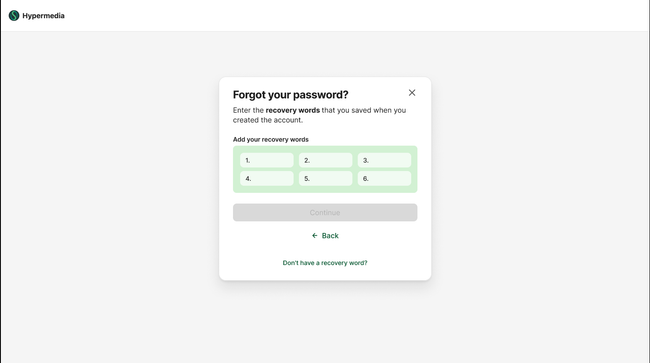
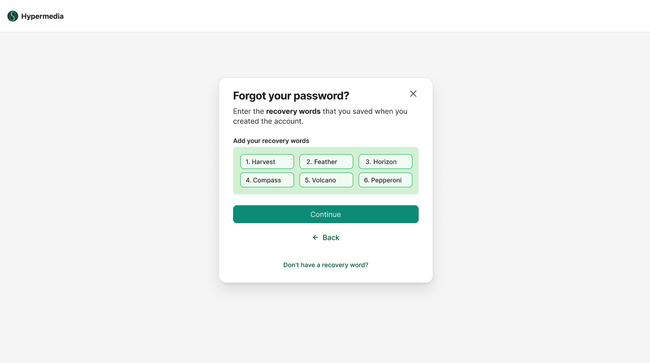
Tapping "Forgot password?" opens the recovery words screen if user does not use password manager.
Recovery words screen asks the user to enter the 6 words they saved during account creation
"Continue" is disabled until all 6 recovery word fields are filled
"Back" returns to the password screen
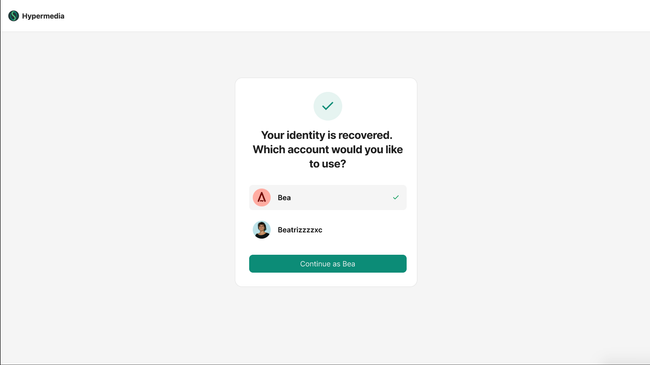
Successful recovery word entry leads to "Your identity is recovered" with account selection if multiple accounts exist
User selects which account to continue with and proceeds into the app
"Don't have a recovery words?" link shows alternative options: sign in with passkey or create a new account
Passkey option explains the user can access their account if they set up a passkey on their device
"Create new account" is presented as a last resort — user do not loss access to previous data but has to create a new account
"Back" returns to the recovery words entry screen
Desings
Basic Flow
User selects password as the option to sign in
Enters password
If user forgets he can add recover words to access identity
User adds recover words and get back to accounts list
Edge cases
User enters correct recovery words but in the wrong order — sign-in fails, user is prompted to check the order
User enters 5 of 6 words correctly and 1 wrong — recovery fails, user can retry
User dismisses the dialog via X during password entry — returns to the previous app state, no data is lost
User attempts too many incorrect passwords or recovery word entries — triggers "sign in with passkey/create new account" screen
User clicks "Use another email" — returns to email entry, previous session state is cleared
User's session expires while on the password screen — re-authentication prompt without losing context
User pastes recovery words from their saved document — each field accepts pasted input correctly
User has no passkey and no recovery words — only option is "Create new account" with clear data loss warning
Do you like what you are reading? Subscribe to receive updates.
Unsubscribe anytime